Find medication information
Search by brand name or active ingredient in the selected market. Review available strengths, dosage forms, product details, official notices and source links. Coverage and scanning availability vary by country.
 Medil AI
Diabetes medication and blood glucose organization
Organize prescribed instructions and reminders, confirm doses, and build a chronological blood-glucose diary for review between visits.
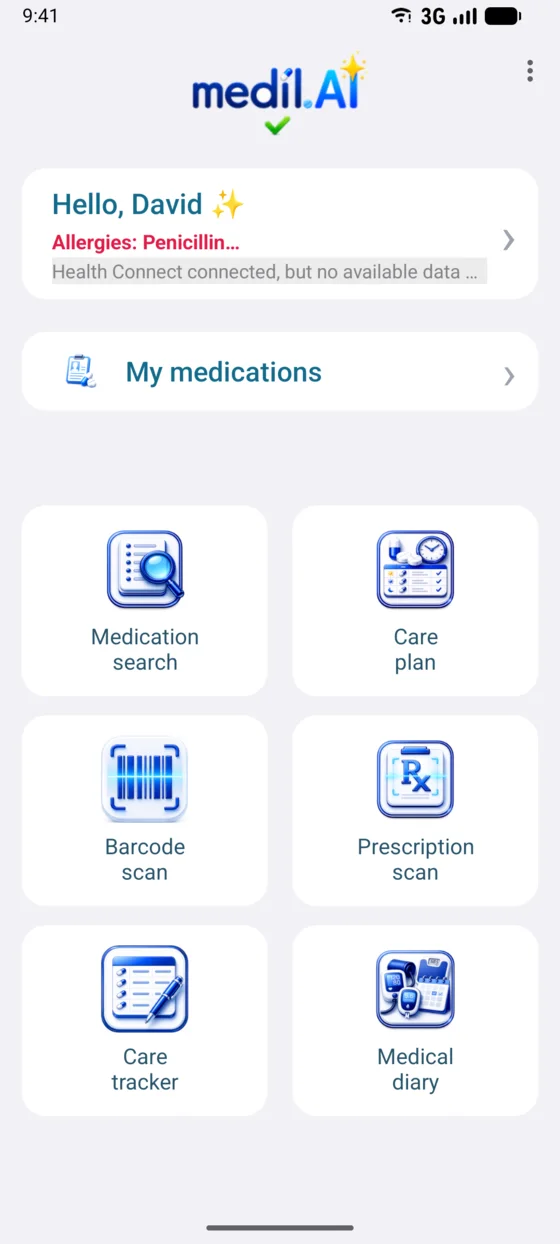
Medication instructions, repeated glucose checks, other measurements and questions can accumulate between visits. Medil AI organizes only the records you choose to enter or import, creating a chronological view that can help you recall details and have a more informed discussion.
Keep product information and the instructions you received together, then review scheduled and confirmed doses over time.
Search by brand name or active ingredient in the selected market. Review available strengths, dosage forms, product details, official notices and source links. Coverage and scanning availability vary by country.
Where available, scan a prescription to extract possible medication names and written instructions. Check every name, strength, unit and schedule against the original prescription before saving.
Enter the amount, unit, dates, frequency and times from the instructions you received, then enable local notifications for the times you choose.
Confirm all or part of a scheduled dose, mark it as not taken when appropriate, and add a note for later review.
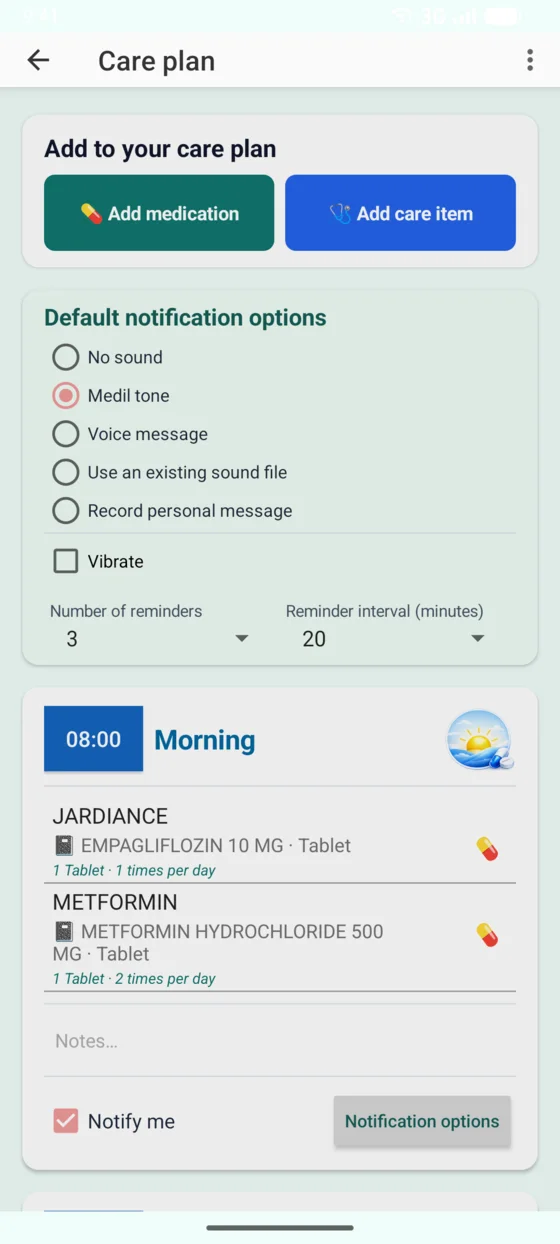
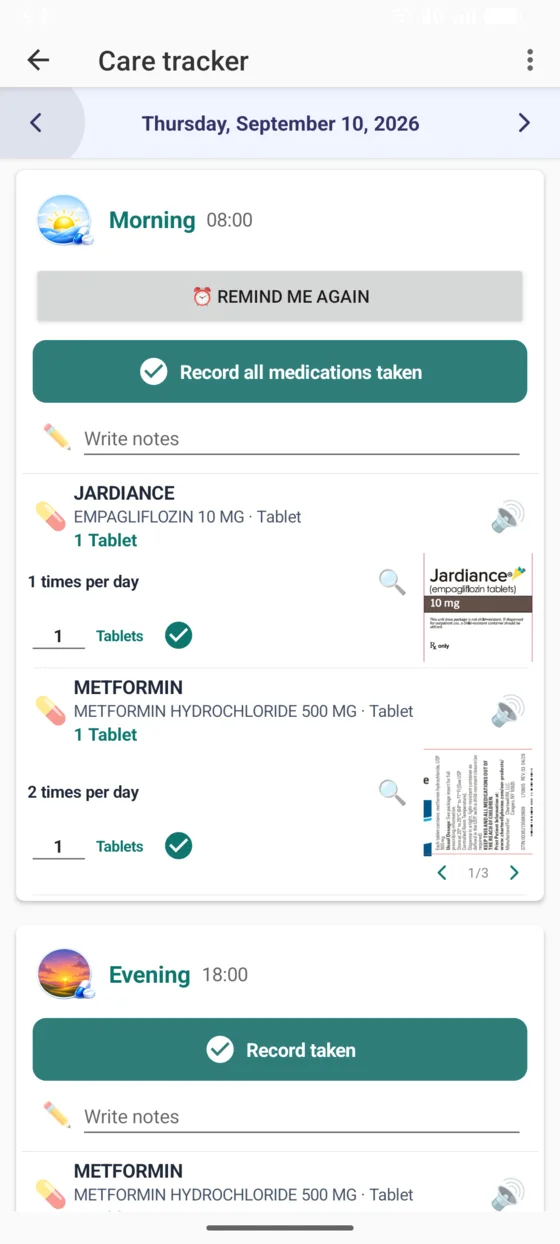
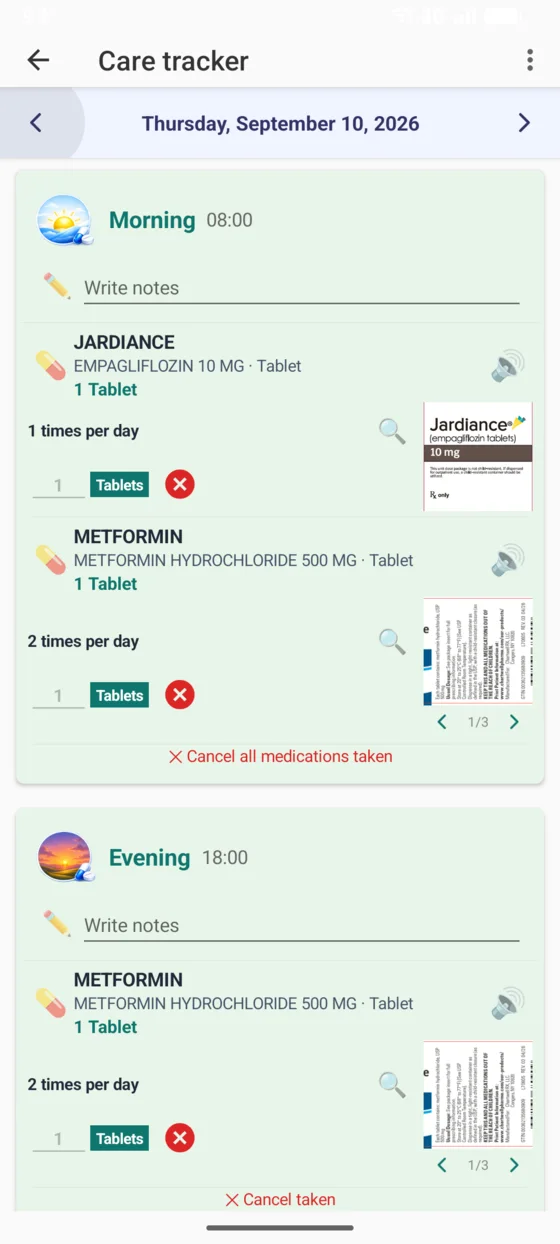
See the medication scheduler and Care tracker workflow · Review medication sources and editorial methods
Where available, Medil AI can show published dose-escalation sequences for supported products, including Ozempic, Rybelsus, Victoza and Mounjaro.
Before creating reminders, Medil AI asks you to confirm that the published sequence matches your prescriber’s instructions.
Dose schedules are based on official product information from national or regional medicines authorities.
Open the complete dose-schedule guide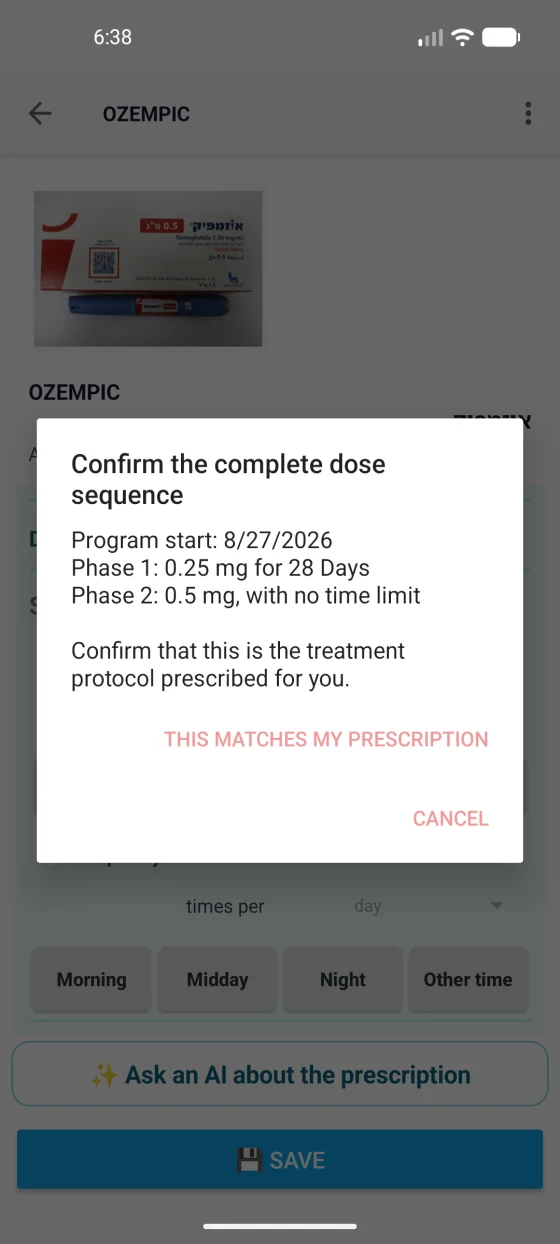
Instead of copying each digit by hand, open Direct reading from display, point the camera at the glucometer screen, then review or correct the camera-captured entry before saving it to the Medical diary.
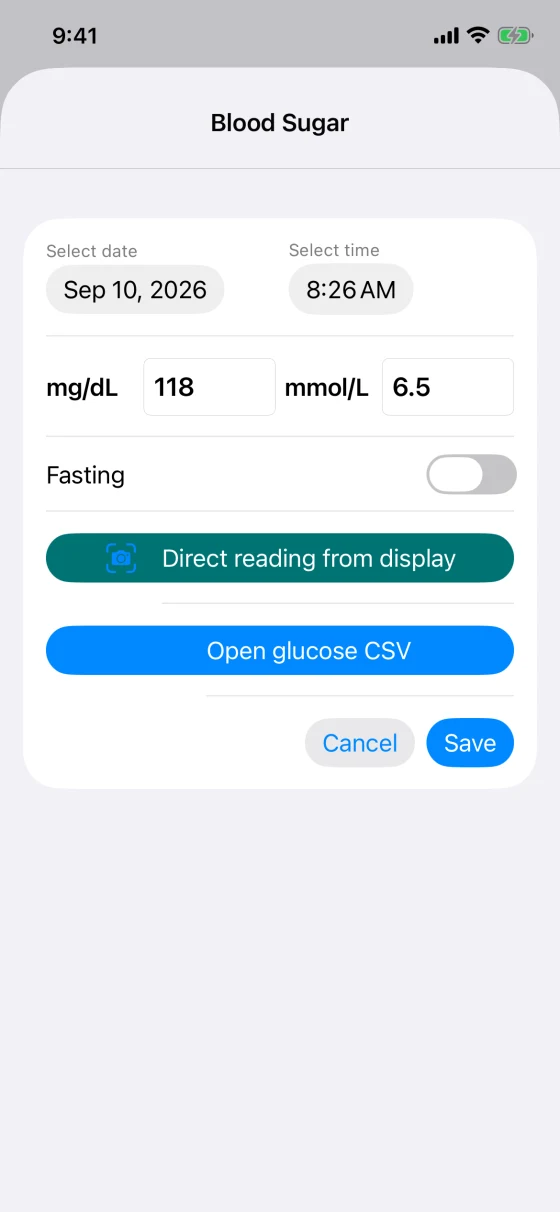
Type the value shown on the measuring device, choose the unit, and save the date and time in the Medical diary.
With permission, Medil AI can read supported records already written to Apple Health or Health Connect and place them on the same timeline.
Supported CSV files, including LibreView™ exports, are processed on your device and added to the diary with their dates, units and values.
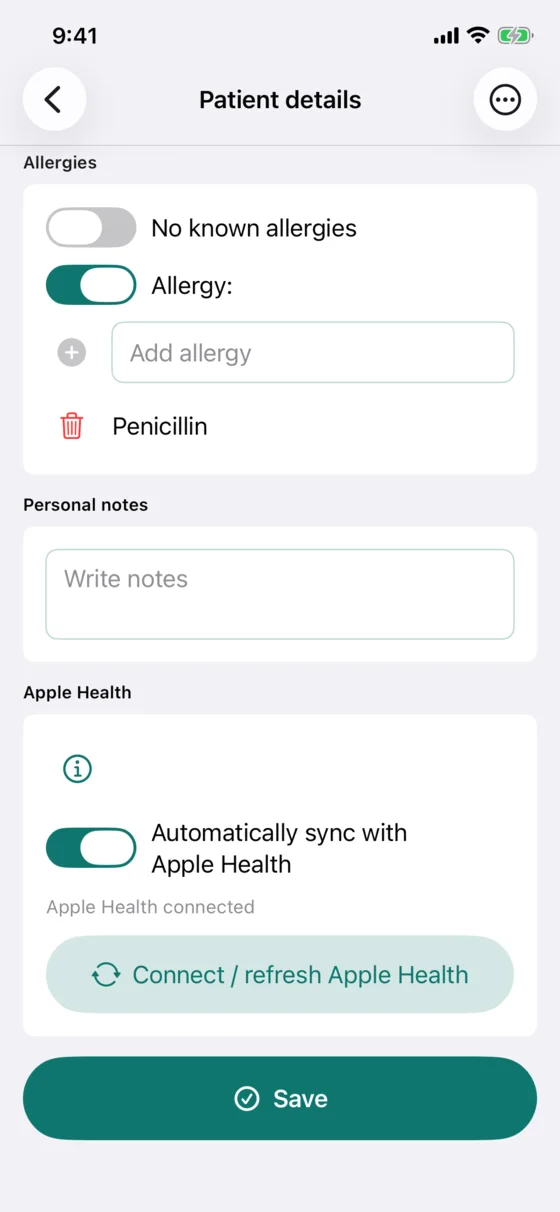
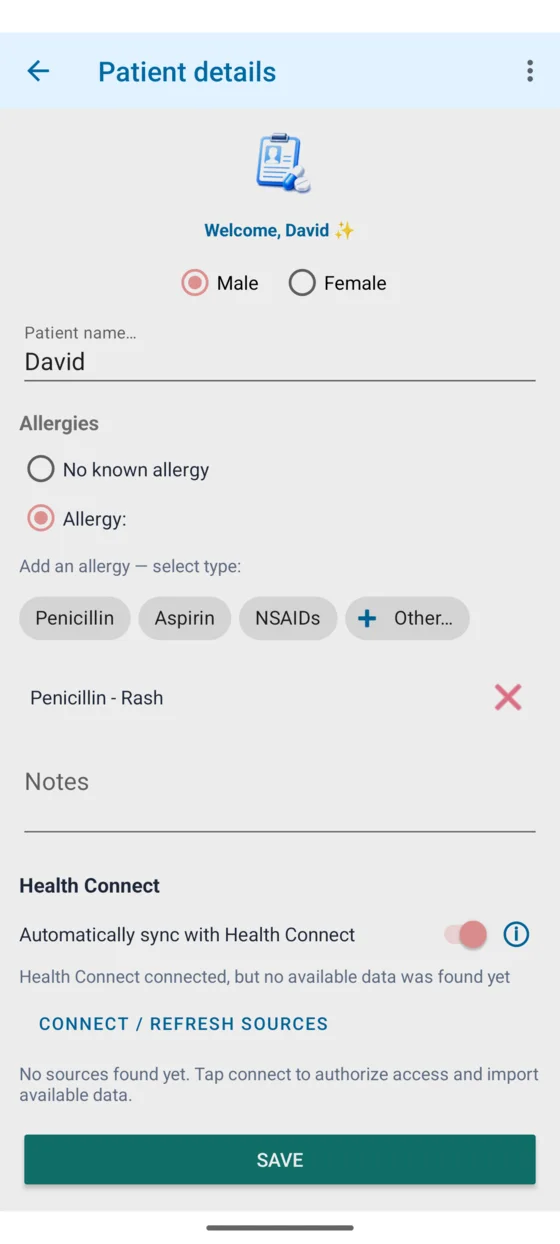
See blood pressure, glucose and home-monitor entry in detail
When you enter or import them, the Medical diary places blood pressure, weight, temperature, heart rate, oxygen saturation, steps and aerobic activity beside blood-glucose and medication events. Use the calendar and charts to review dates, patterns and trends.
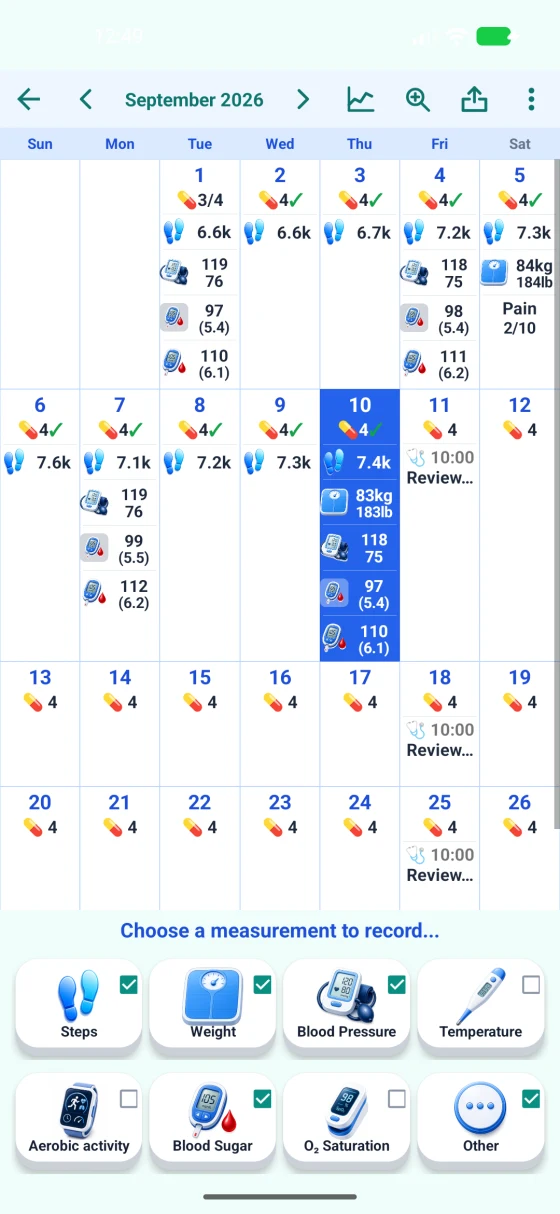
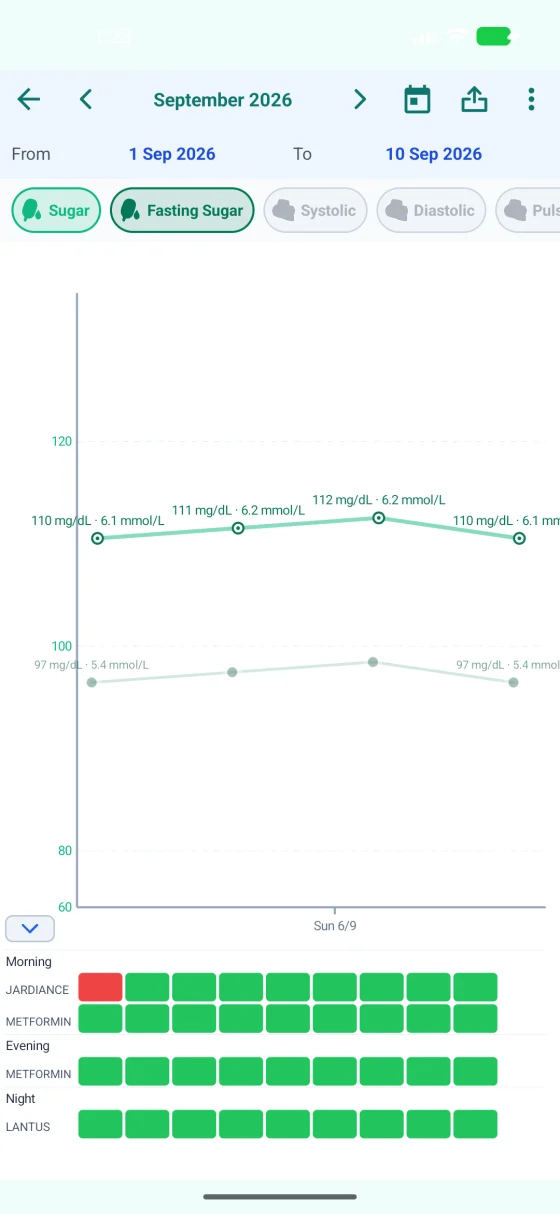
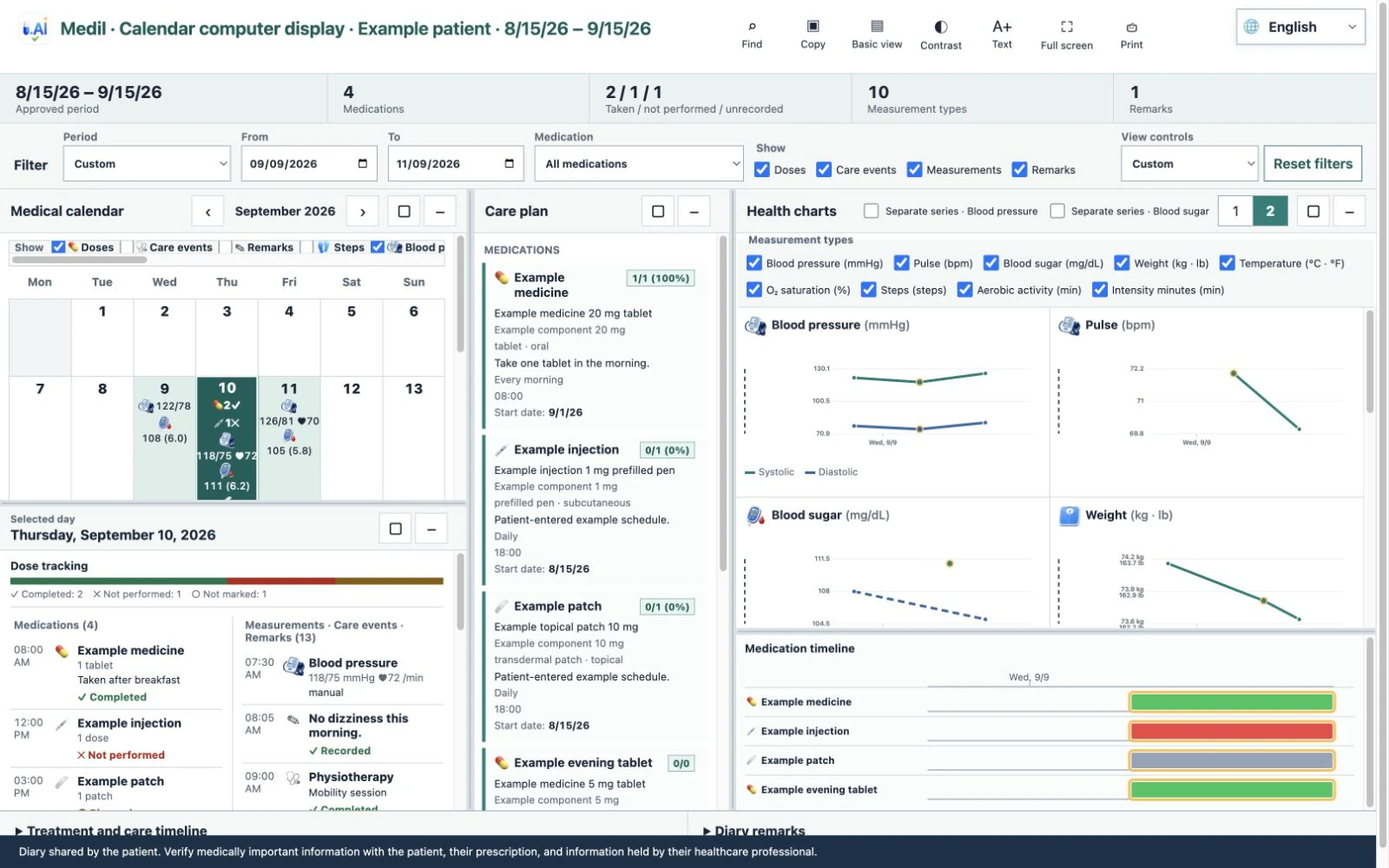
Calendar computer display brings your selected days, Care plan, medicines and health charts together on a larger screen for a visit. On the computer, open view.medil.ai. In Medil AI, choose a period, scan the QR code or enter its short code, then approve the request and tell the person at the computer the four-digit verification number shown on your phone.
Requires Medil AI+ or an eligible free trial.
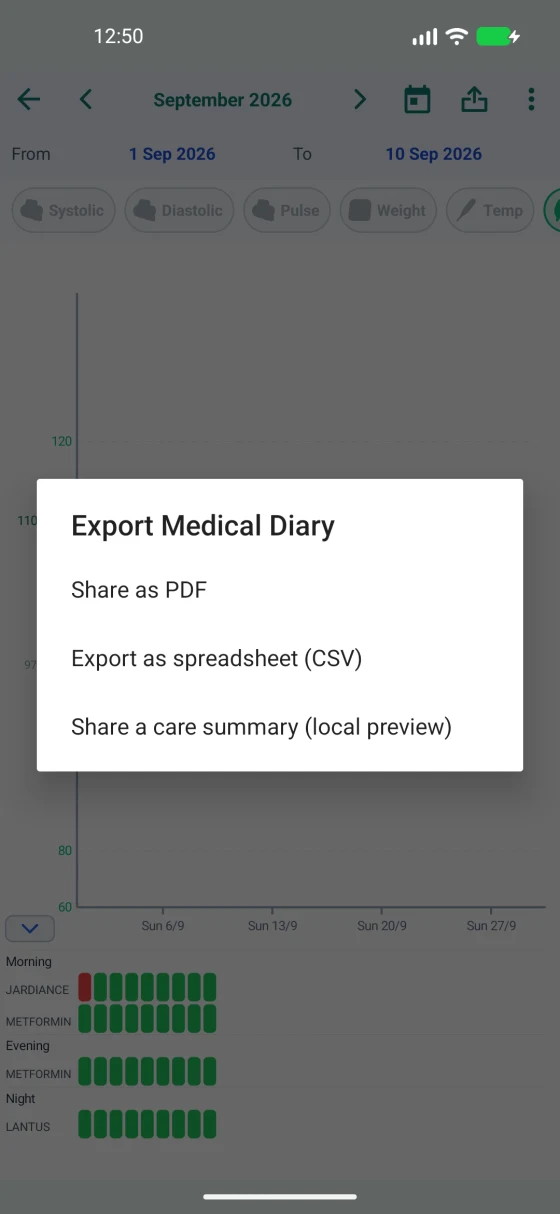
Choose a period to review in the app, or export and print the medication list and Medical diary for discussion with a healthcare professional.
Open the illustrated patient guide to see the broader Medil AI workflow.
Point the camera at the number on a glucometer display. Medil AI opens a camera-captured entry so you can review or correct its value, unit, date and time before saving.
With permission, Medil AI can read supported records already present in Apple Health or Health Connect. Compatible glucose CSV files can also be processed locally on the device.
In Care tracker, confirm all or part of a scheduled dose, mark it as not taken when appropriate, or add a note to the chronological record.
Choose a period to display in the app, or export and print the medication list and Medical diary for discussion.
For supported products, Medil AI shows the published sequence. Confirm that it matches the instructions you received before Medil AI creates dated phases and reminders.
Core medication organization remains free. Medical-diary and advanced tools require Medil AI+ and are available to eligible new users during the 14-day free trial. All listed workflows work without creating a Medil account.
| Capability | Android | iPhone and iPad | Access | How it helps |
|---|---|---|---|---|
| Medication search and information | Yes | Yes | Free | Source-linked information for your selected market |
| Care plan, schedules and reminders | Yes | Yes | Free | Organizes your instructions and notification times |
| Patient-confirmed dose tracking | Yes | Yes | Free | Keeps your confirmations and notes in chronological order |
| Manual and camera-assisted measurements | Yes | Yes | Medil AI+ / eligible trial | Lets you review or correct a camera-captured entry before saving |
| Compatible glucose CSV import | Yes | Yes | Medil AI+ / eligible trial | Processes supported files on your device and adds them to the diary |
| Health-platform import | Health Connect | Apple Health | Medil AI+ / eligible trial | Imports supported existing records with your permission |
| Calendar, charts, export and printing | Yes | Yes | Medil AI+ / eligible trial | Lets you review, display, export and print your records |
Report a correction: support@medil.ai.
This page describes Medil AI product behavior. For broader diabetes context, see WHO diabetes information, World Diabetes Day and the IDF Diabetes Atlas.
The product design is described in the September 2026 preprint From Prescription to Understanding: Medil AI, a Multilingual Mobile Platform for Medication Information, Pill Reminders, Adherence Support, and Between-Visit Communication · DOI 10.20944/preprints202609.0448.v1.